Dev_Log
[jChartFX] X축, Y축 Label,그래프 툴팁 포맷 변경하기
LeeDaniel
2025. 9. 19. 18:32
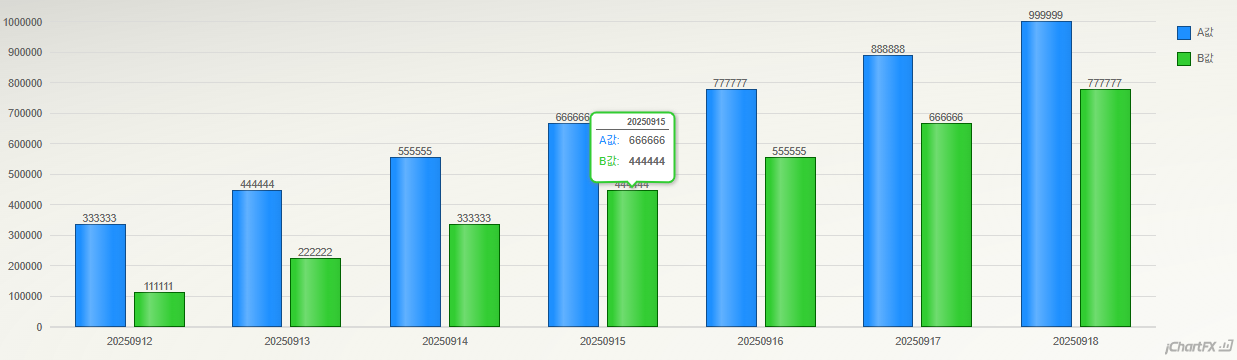
https://support.softwarefx.com/jChartFX/api(차트 라이브러리)기존 차트 // 더미 데이터 let data = [ { date: "20250912", A: 333333, B: 111111 }, { date: "20250913", A: 444444, B: 222222 }, { date: "20250914", A: 555555, B: 333333 }, { date: "20250915", A: 666666, B: 444444 }, { date: "20250916", A: 777777, B: 555555 }, { date: "20250917", A: 888888, B: 666666 }, { date: "20250918", A: 999999, B: 777777 }, ]
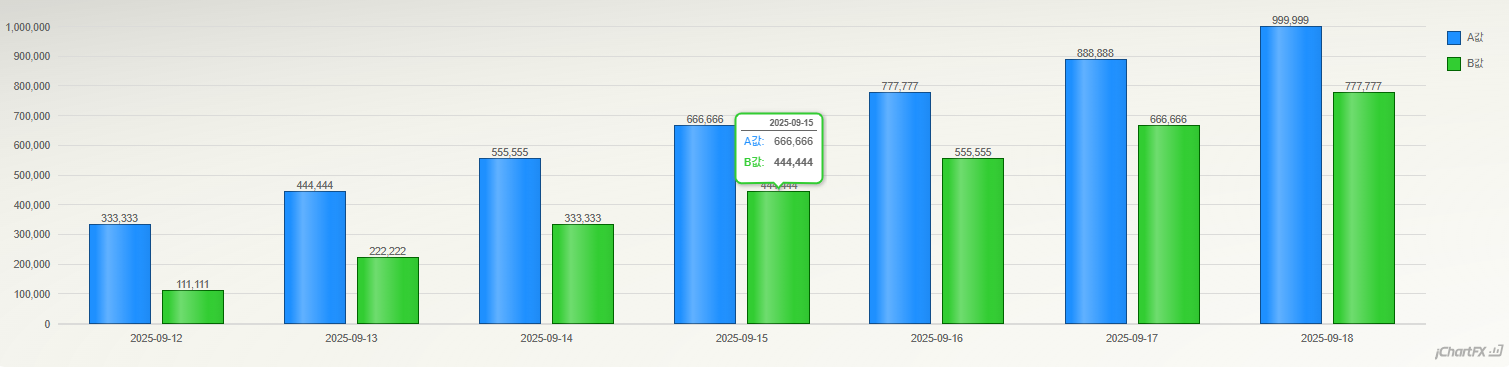
▶️1. X축 Label 포맷 변경하기( 기존:yyyyMMdd -> 변경:yyyy-MM-dd )
/* 받아온 data형식이 yyyyMMdd 일경우
 * { date: "20250912", A: 333333, B: 111111 }
 *
 * 서버에서 응답받은 데이터에서
 * 날짜데이터인 date의 값이
 * jChartFX는 해당 값을 순수 문자열(String) 로 인식되며
 * setCustomFormat("yyyy-MM-dd") 가 먹히지 않기 때문에
 * Date타입으로 변환후 차트에 적용해야함
 */

 // yyyy-MM-dd 문자열을 Date타입으로 변환하기
 let convertData = data.map(item =>
    const year = item.date.substring(0, 4);
    const month = item.date.substring(4, 6);
    const day = item.date.substring(6, 8);

	return {
    	...item,
        date: new Date(year, month - 1, day) // month는 0부터 시작
    };
 });

 // x축 라벨에 커스텀포맷을 지정하기
chart1.getAxisX().getLabelsFormat().setCustomFormat("yyyy-MM-dd");
▶️2. Y축 Label 포맷 변경하기 - 숫자형 데이터를 천단위로 콤마 표시하기// Y축 라벨 포맷을 Number로 지정하기 chart1.getAxisY().getLabelsFormat().setFormat(cfx.AxisFormat.Number);x축, y축 Label포맷 변경완료 후
728x90
반응형